

Event management
From fixture to final whistle.
Create an event, share it, and let players find and join it. Set the date, venue, and player cap; Sportpadi handles discovery, check-in, and attendance so you can focus on the game.
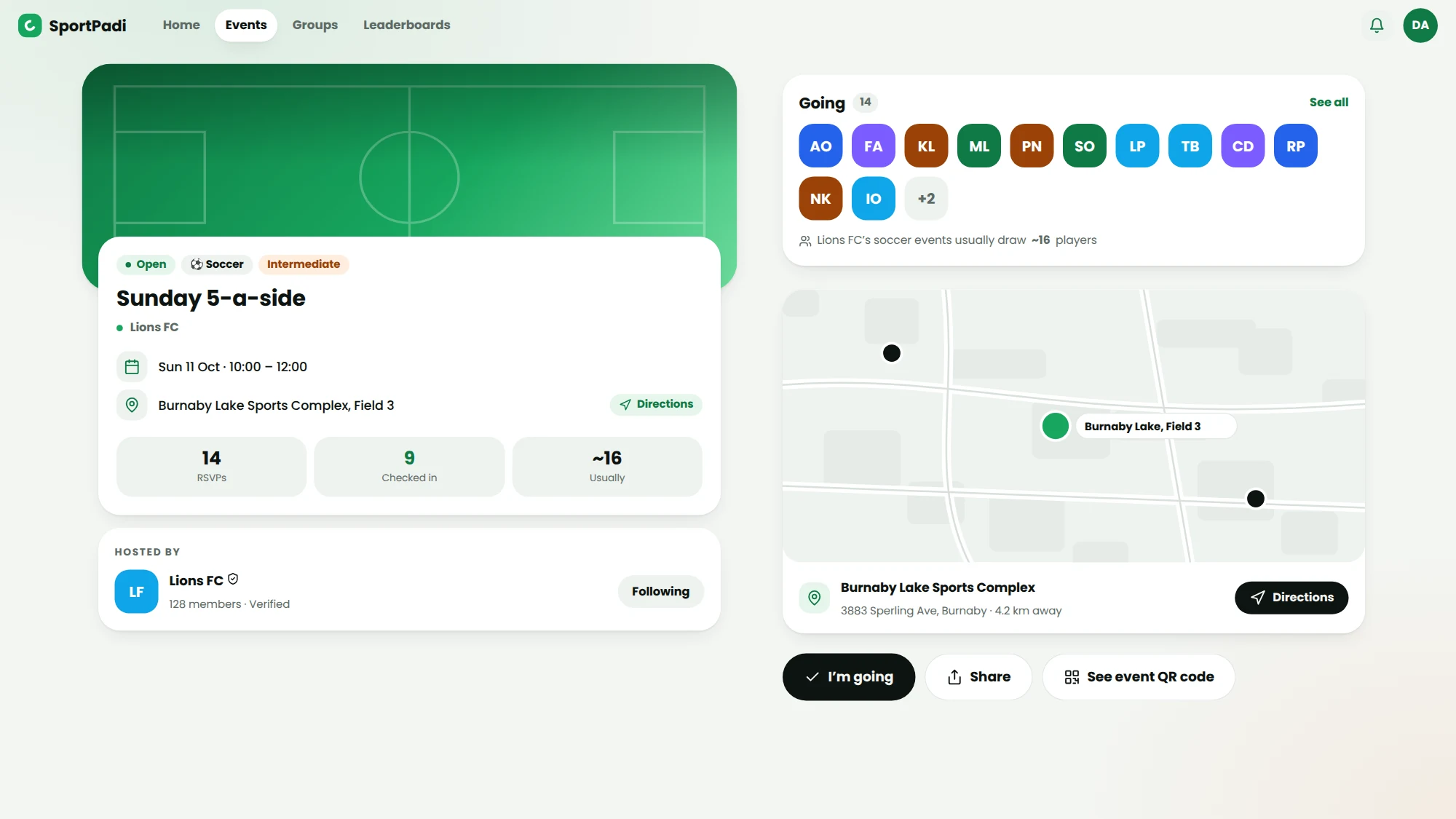
Quick to publish
Date, place, cap — done. Share the link anywhere.
Found nearby
Venues geocode automatically so players discover events near them.
QR check-in
Players scan in at the gate; you see arrivals in real time.
Recurring games
Set up your weekly fixture once and repeat it.
Create and share in seconds
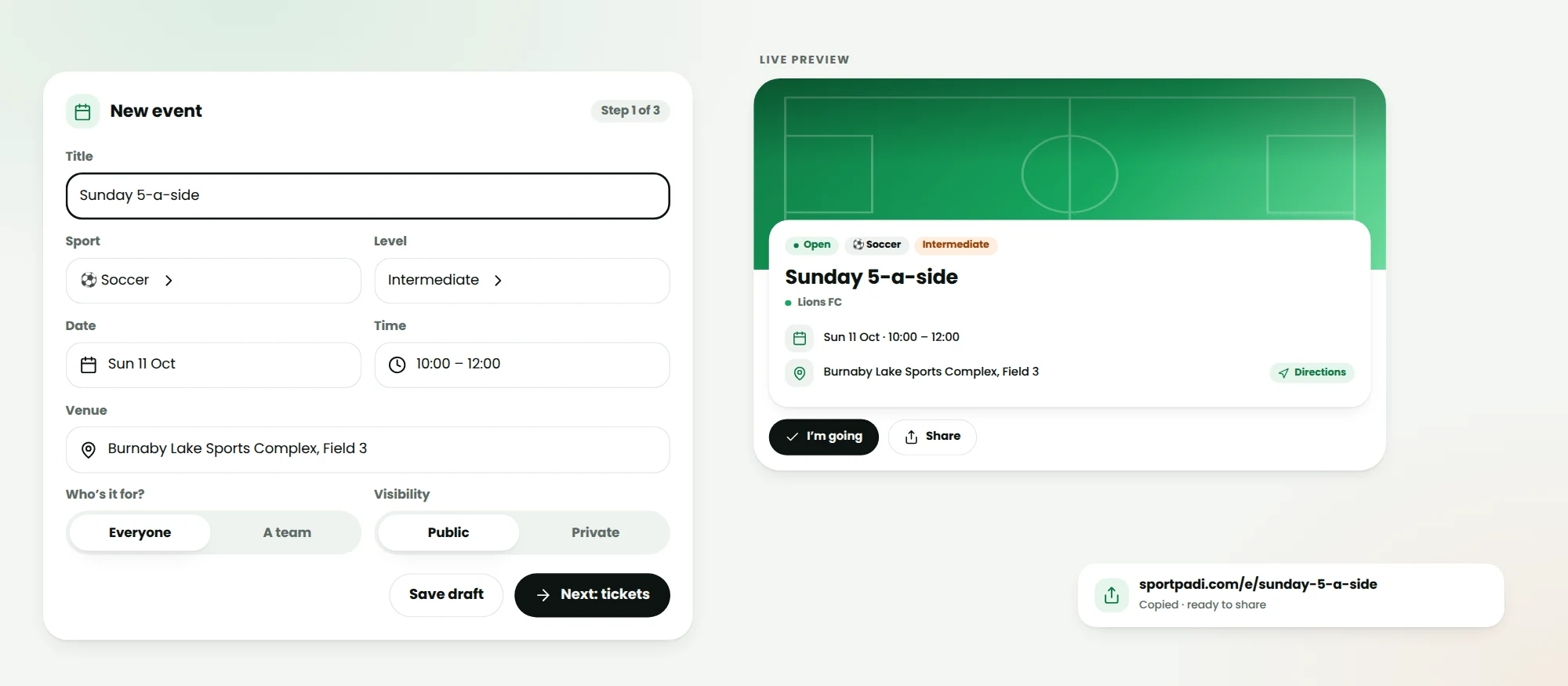
Set the essentials and publish. Every event gets a clean public page and a shareable link with a rich preview, so posting it to a group chat just works.
- Date, time, venue, and player cap
- Auto social preview image
- Public, indexable event page
Discovery that finds your players
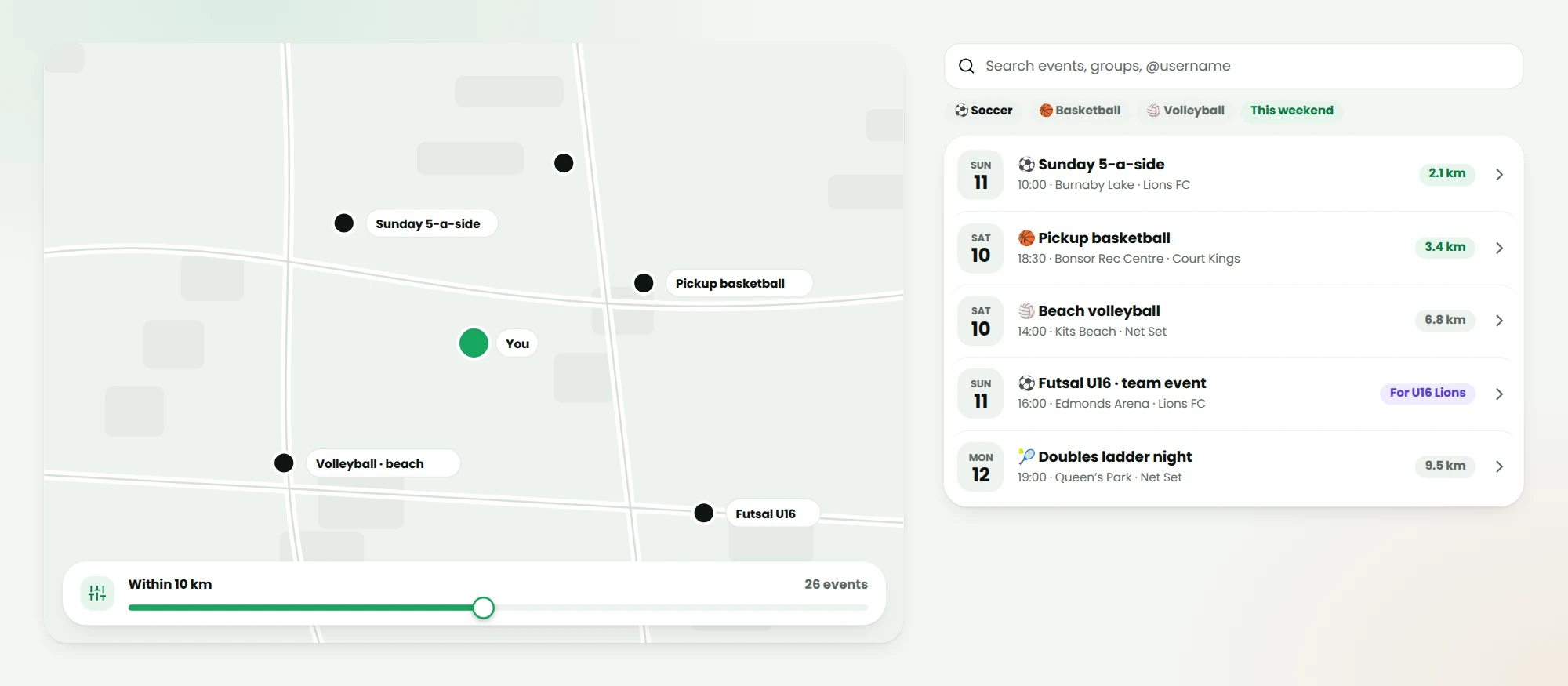
Type a venue and it's geocoded to real coordinates automatically — on create and on edit. That powers “events near you” with an adjustable distance radius so nearby players stumble onto your game.
- Automatic venue geocoding
- Distance-based discovery
- Interest and follow signals
Check-in and attendance
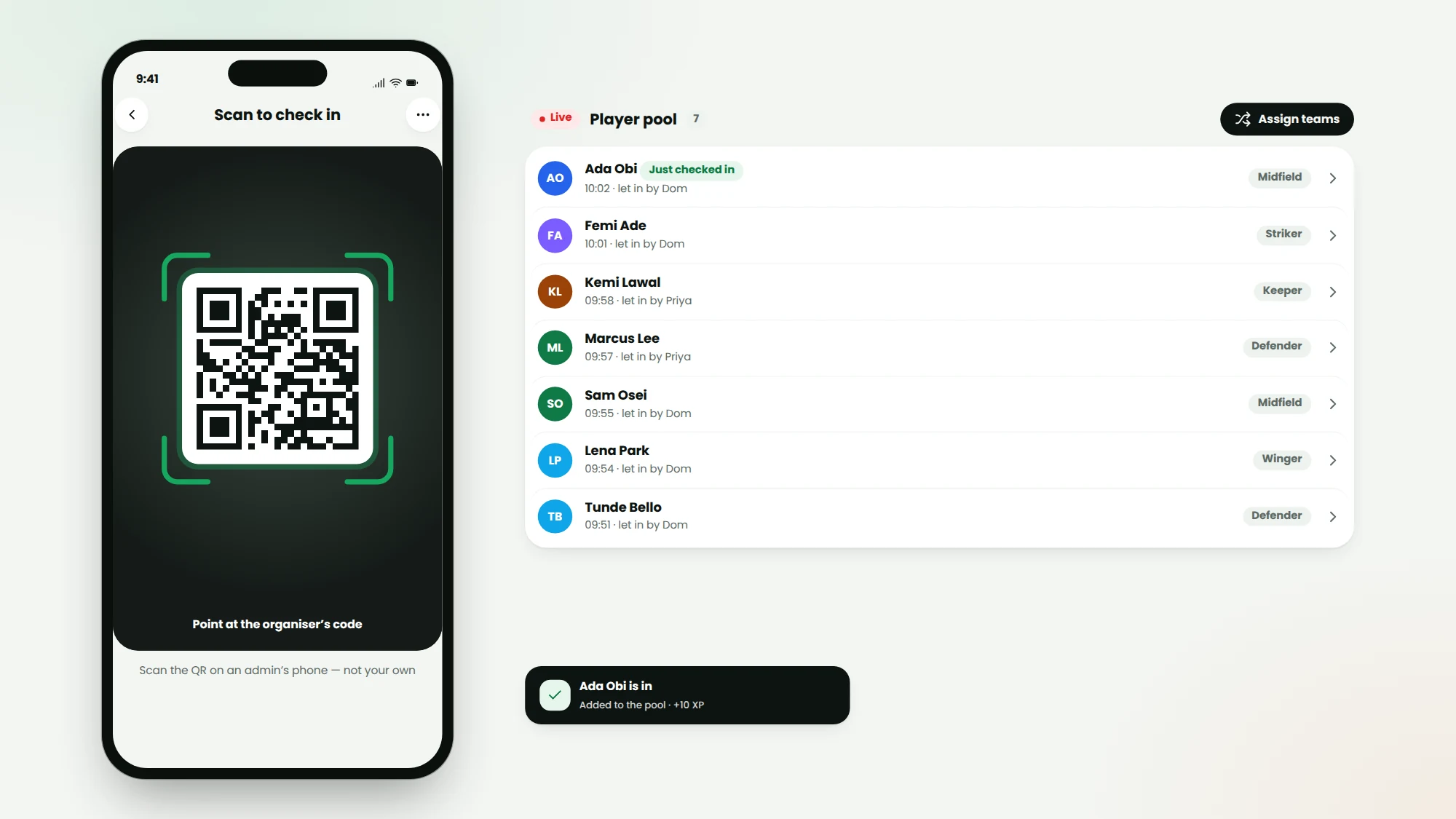
Each event carries a unique QR. Players scan on arrival and drop straight into the player pool, ready to be placed on teams — you watch attendance build live.
- Unique per-event QR
- Live arrival tracking
- Flows straight into team assignment
Who it’s for
Built for the people who run the game
Weekly game organisers
Set it to repeat, let RSVPs and reminders run, and show up with the QR code.
Tournament hosts
Invite teams, build a bracket, assign officiants and keep every result in one place.
Casual players
Find a game near you, RSVP, check in at the venue and get placed on a team.
How to organize a pickup game with SportPadi
Create an event, pick the sport, set the date, time and venue, and share the link — that's the whole job. Players express interest or buy a ticket, check in at the venue by scanning the event QR code, and land in the player pool. If the event uses teams, SportPadi assembles balanced sides from whoever actually showed up, so the game starts on time instead of starting with an argument. Everything from the attendee list to the final score lives on the event page afterwards.
Recurring games that run themselves
Weekly kickabout? Set the event to recur and SportPadi rolls it forward automatically — same venue, same time, fresh attendee list — so organizers stop rebuilding the same event every Monday. Regulars find it on their home feed the moment it exists, and followers of your group see every public event you post without being members yet. It's a recurring games scheduler, discovery channel and RSVP sheet in one.
QR check-in that ends attendance chaos
Every event gets a QR code. Players scan it at the venue — from the SportPadi app or the web — and the organizer's screen updates live as people arrive. Check-in is what drives everything downstream: ticket validation at the gate, the player pool for team assignment, per-player attendance history, and the group's leaderboards. Ticketed events verify payment at the moment of scan, so nobody slips in on a screenshot.
From casual kickabouts to tournaments
The same event tools scale up: multi-team events, scheduled games with officiants, live scores and key moments, and full tournaments with brackets and invited teams. Organizers who need spectator-facing pages get them automatically — every public event and game has a shareable page that renders beautifully in chats and search results.
FAQ
Questions about event management
Does an RSVP reserve a spot?
No — an RSVP tells the organiser you're coming. Your spot is confirmed when you check in at the venue, which is what feeds attendance and stats.
How do reminders work?
Everyone who RSVP'd gets push and in-app reminders before the game — 5, 3, 2 and 1 day out and 2 hours before — and they can add the event to their phone calendar with the same alerts.
Can an event repeat?
Yes. Weekly, monthly and other cadences roll forward automatically, and recurring tickets can cover the whole series.
Can I limit an event to one team?
Yes. A team event is shown only to that team's players, their guardians and the coaches — kids' training and fixtures never appear in public listings.
Related reading
From the blog
Keep exploring
Related features
Bring event management to your community
Get set up in minutes: no cards, no clipboards, no chaos.
Browse eventsUse it on the pitch