

Youth teams for coaches & parents
Kids' teams, run by coaches, with parents in the loop.
Youth sport has two audiences — the coach running the team and the parents getting the kids there. SportPadi gives each their own view: coaches manage squads, fixtures and match day; parents add their children as wards, RSVP for them, pay for their place and scan them in at the venue. Children never get a login, their profiles stay private, and nothing about them is ever indexed.
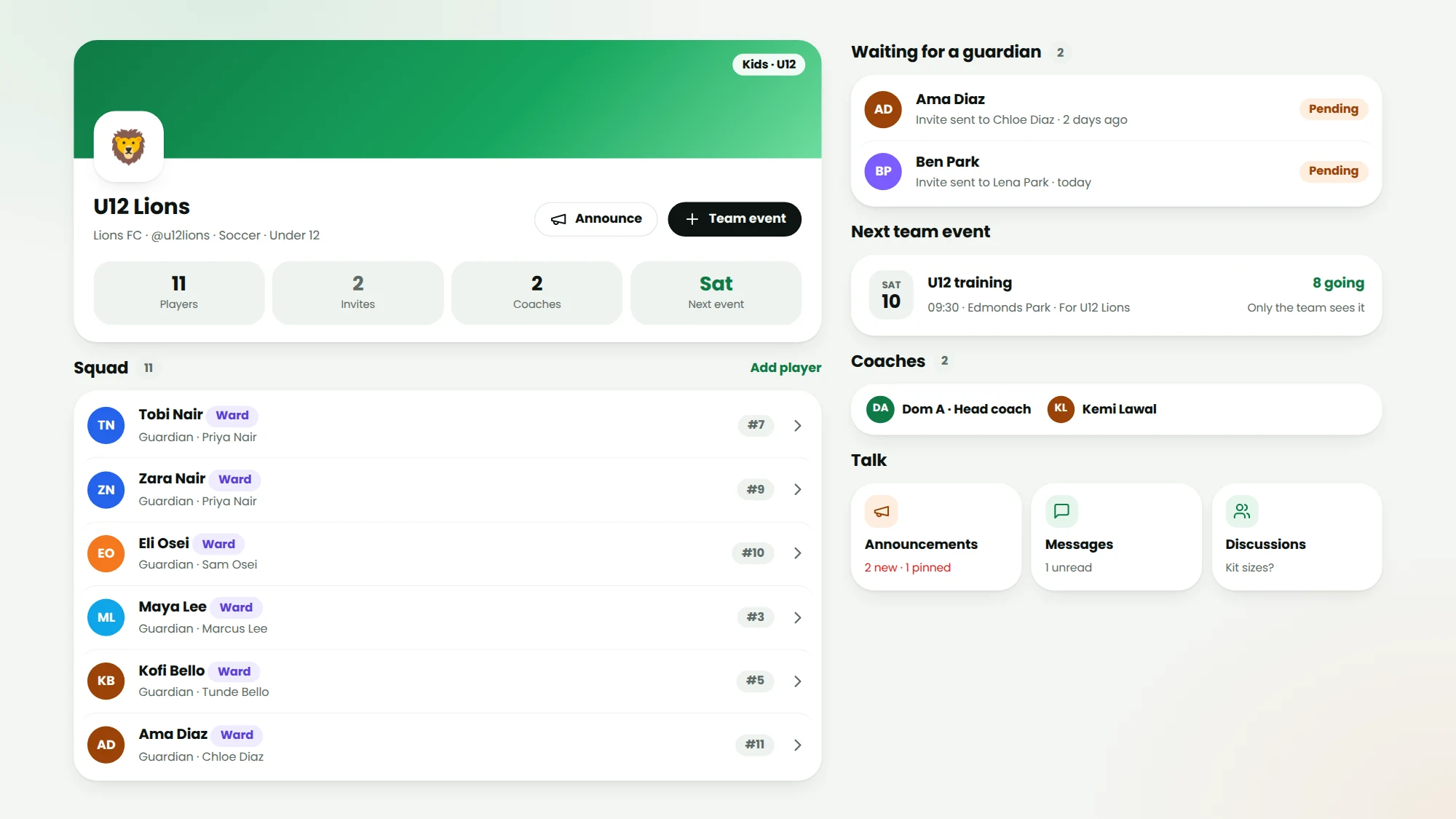
Wards, not accounts
Parents add a child as a ward — a profile with no login, managed by its guardians.
Coaches with scope
A coach runs their own teams: events, line-ups, announcements, messages — nothing else.
Private by default
Wards are unlisted and unsearchable; outsiders see a first name and initial, no photo.
Parents actually read it
Announcements go to every guardian, with Seen / Got it receipts per child.
Kids' teams with age groups
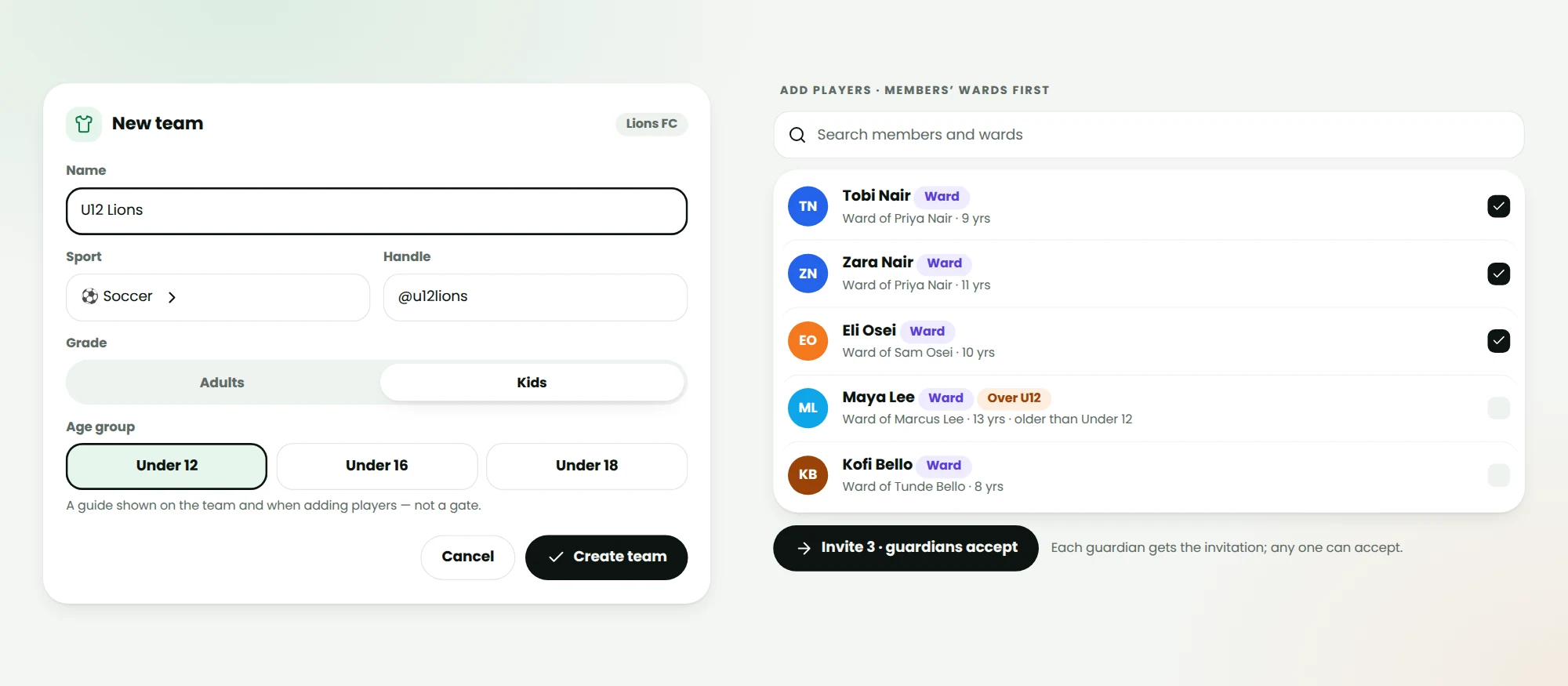
Create a team as Kids rather than Adults and pick an age group — Under 12, Under 16 or Under 18. When a coach invites a player, the child's age is shown beside the name as a guide, so an over-age ward is obvious before the invite goes out. The invitation itself goes to the child's guardians; any one of them accepting puts the child on the team.
- Under 12 · Under 16 · Under 18 age groups
- Ward ages shown when inviting
- Guardians accept team invitations
Team events only the team sees
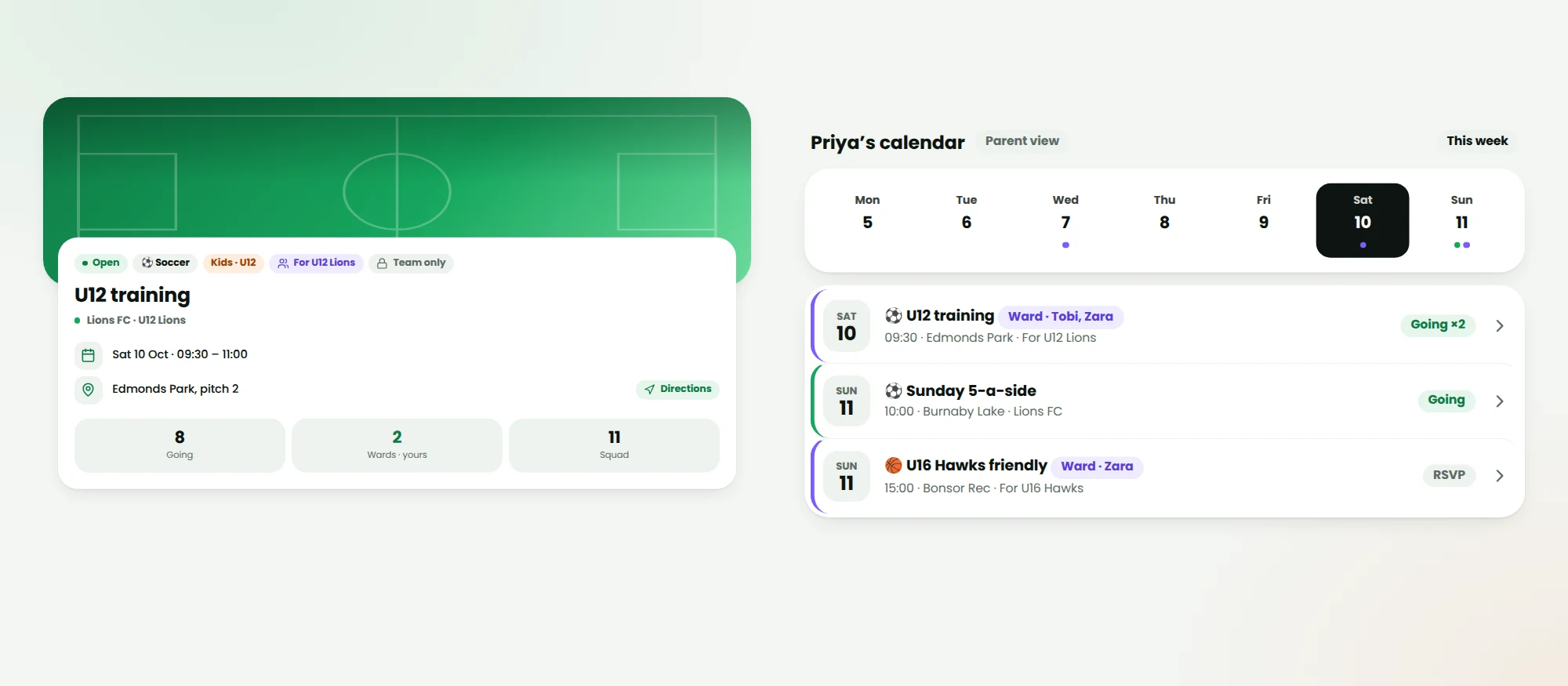
A coach creates an event for their team — training, a friendly, a cup match — and only that team's players, their guardians and the coaches are told. It never appears in public listings, discovery or search. Parents see one calendar entry per team event, tagged with every child of theirs on the team.
- Private to the team by default
- Recurring training rolls forward on its own
- Reminders reach guardians, not the child
Parents RSVP, pay and check in for their kids
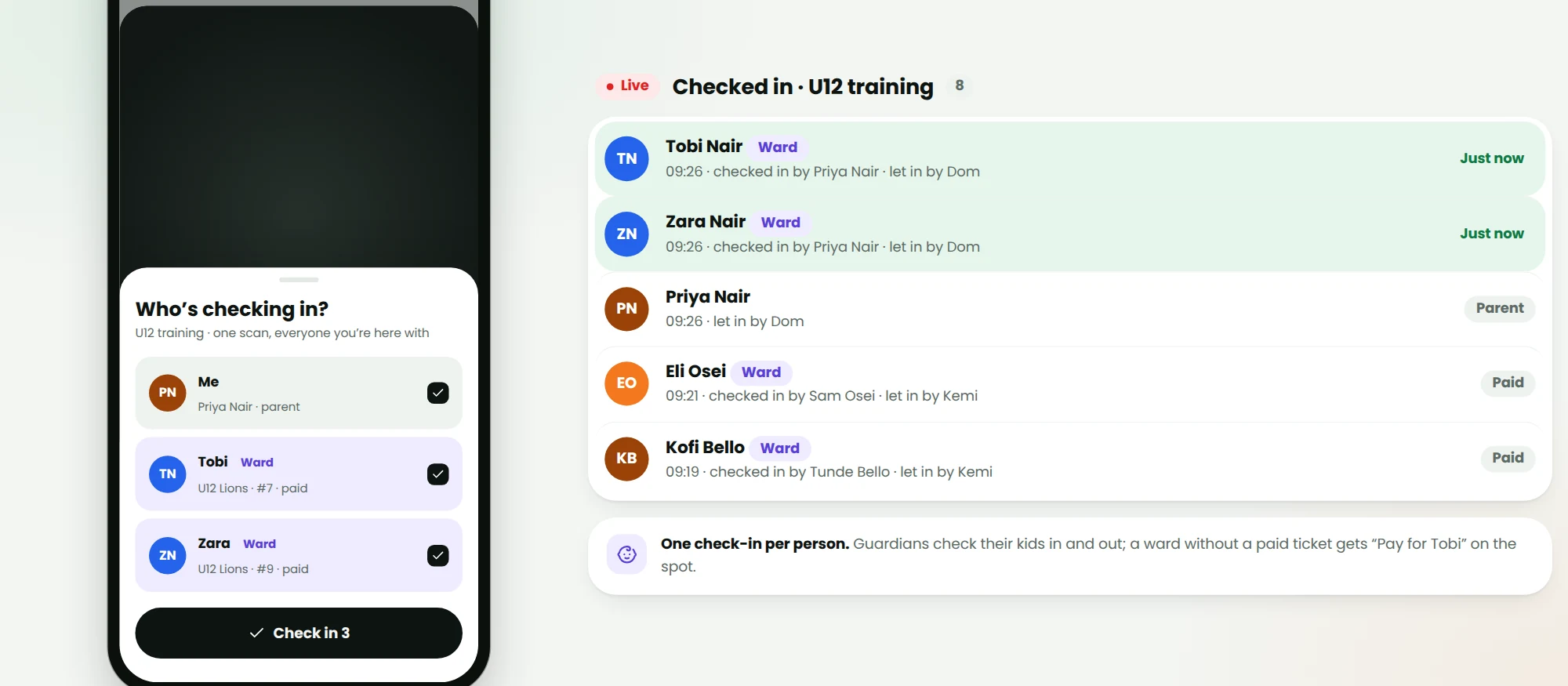
On the event page a guardian chooses who's going — themselves, a child, or both. If the event needs a ticket, the parent pays for the child's place. At the venue the parent scans the coach's QR once and ticks off each child they brought; the coach sees who let them in.
- One scan, several check-ins
- Tickets and dues paid by the guardian
- Guardians can check a child out again
Announcements and messages that reach home
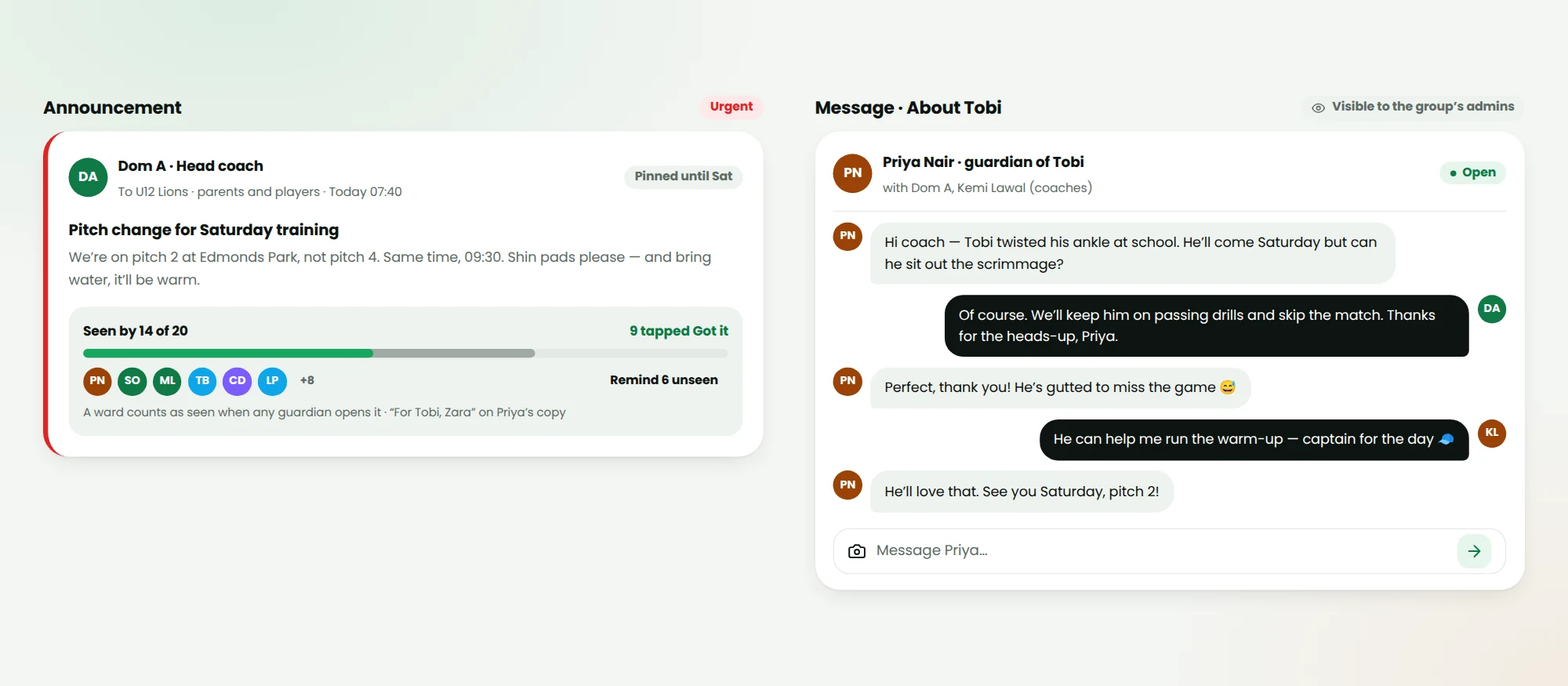
Coaches post to their team and every guardian gets it — once each, tagged 'For Tobi, Zara' — with push, and email for parents without the app. Read receipts show who's seen it and who tapped Got it. Parents can message the coach about their child; every group admin can read those threads, so nothing happens in private.
- Read receipts per guardian
- Urgent notices cut through muted groups
- Coach–parent messages visible to admins
Who it’s for
Built for the people who run the game
Coaches
Your squads, fixtures, line-ups and match day — with the permissions you need and none you don't.
Parents & guardians
Add your kids, see their games in your calendar, pay and check them in. Co-guardians share the load.
Clubs & academies
Age-group teams under one group, coaches per team, dues per family, and admins who can see everything.
FAQ
Questions about youth teams for coaches & parents
Does my child need an account?
No. A guardian adds the child as a ward: a profile with a name, date of birth and photo but no login, email or password. Guardians act for the ward — RSVPs, tickets, check-in — and a second guardian can be invited to share it.
Who can see my child's profile?
By default only their guardians and the admins and coaches of their groups. Everyone else sees a first name and initial with no photo. Ward profiles are never listed, searchable or indexed by search engines.
What can a coach do?
Create and run events for the teams they coach, invite players and set line-ups, post announcements to the team, message their players' guardians and officiate matches. Only group admins can make an event group-wide or manage money.
Can two parents manage the same child?
Yes. The first guardian invites a co-guardian from the ward's page. Either can RSVP, pay and check in, and both get the team's announcements.
How do age groups work?
A kids' team can be marked Under 12, Under 16 or Under 18. It's a guide: a coach sees each ward's age when inviting, so over-age players are obvious, but the coach decides.
Can my child's stats go on the leaderboard?
Leaderboards have age bands — Under 12, Under 16, Under 18 and Adults — and a ward is ranked in their band, under their short name unless their profile is public.
Keep exploring
Related features
Bring youth teams for coaches & parents to your community
Get set up in minutes: no cards, no clipboards, no chaos.
Start a clubUse it on the pitch