

Highlights
Clips and photos from the match, pinned to the stat they show.
A highlight is a short video, or a few photos, from a match you actually played. Post one, pin it to the stat it shows, and it lands in a full-screen feed, in the grid on your profile, and on a play badge beside that goal in the match timeline — so the number and the footage finally sit in the same place.
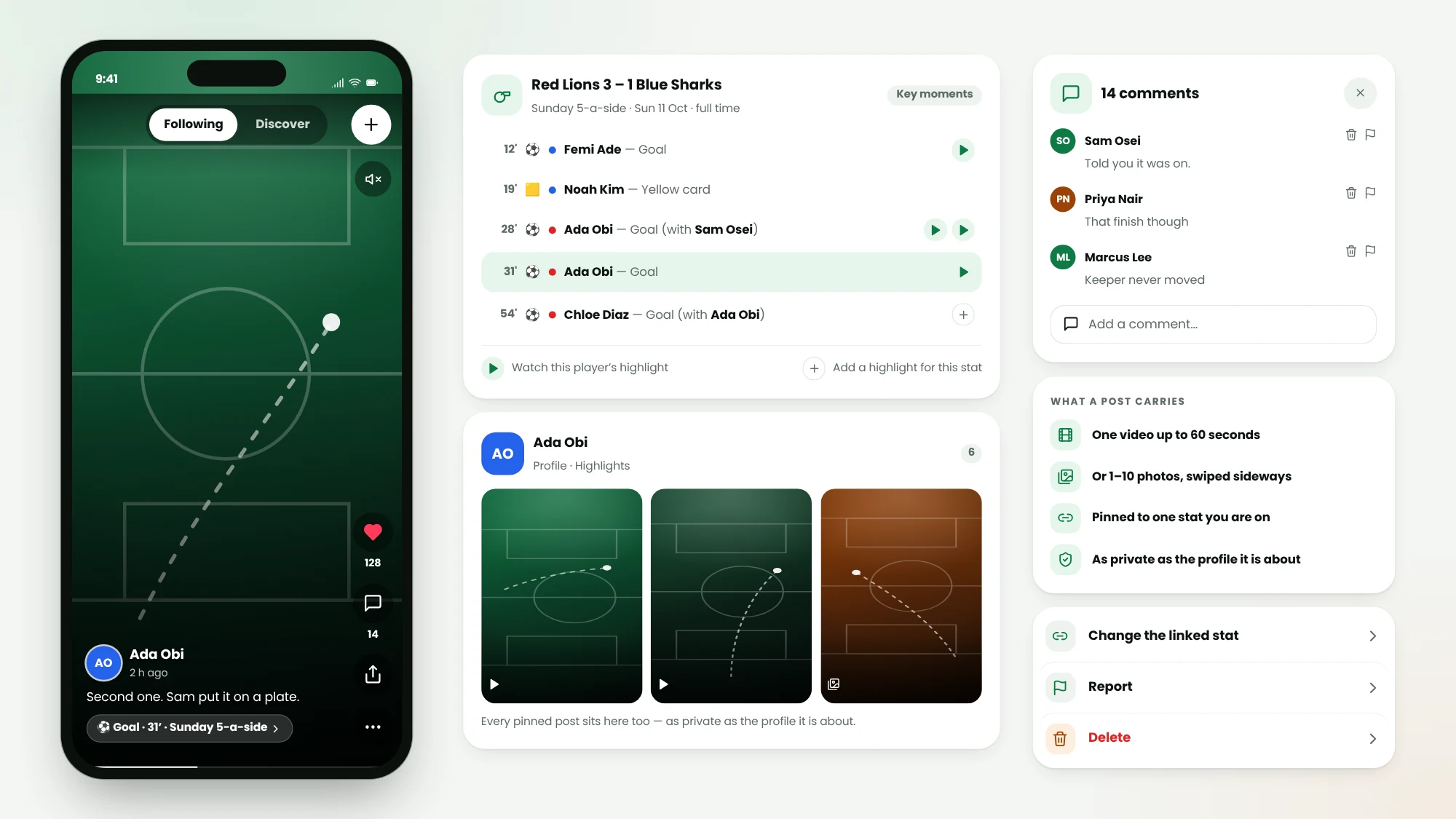
Up to a minute
One video of up to 60 seconds, or 1 to 10 photos swiped sideways in a single post.
Pinned to the stat
Link a post to the goal, assist or card it shows — and a stat with two players on it can be claimed by either of them.
Likes and comments
Like a post and comment under it: a flat thread, newest comment last. No view counts, and no ranking in Discover.
As private as the profile
A post is visible to whoever may see the profile it is about, and anyone who can see it can report it.
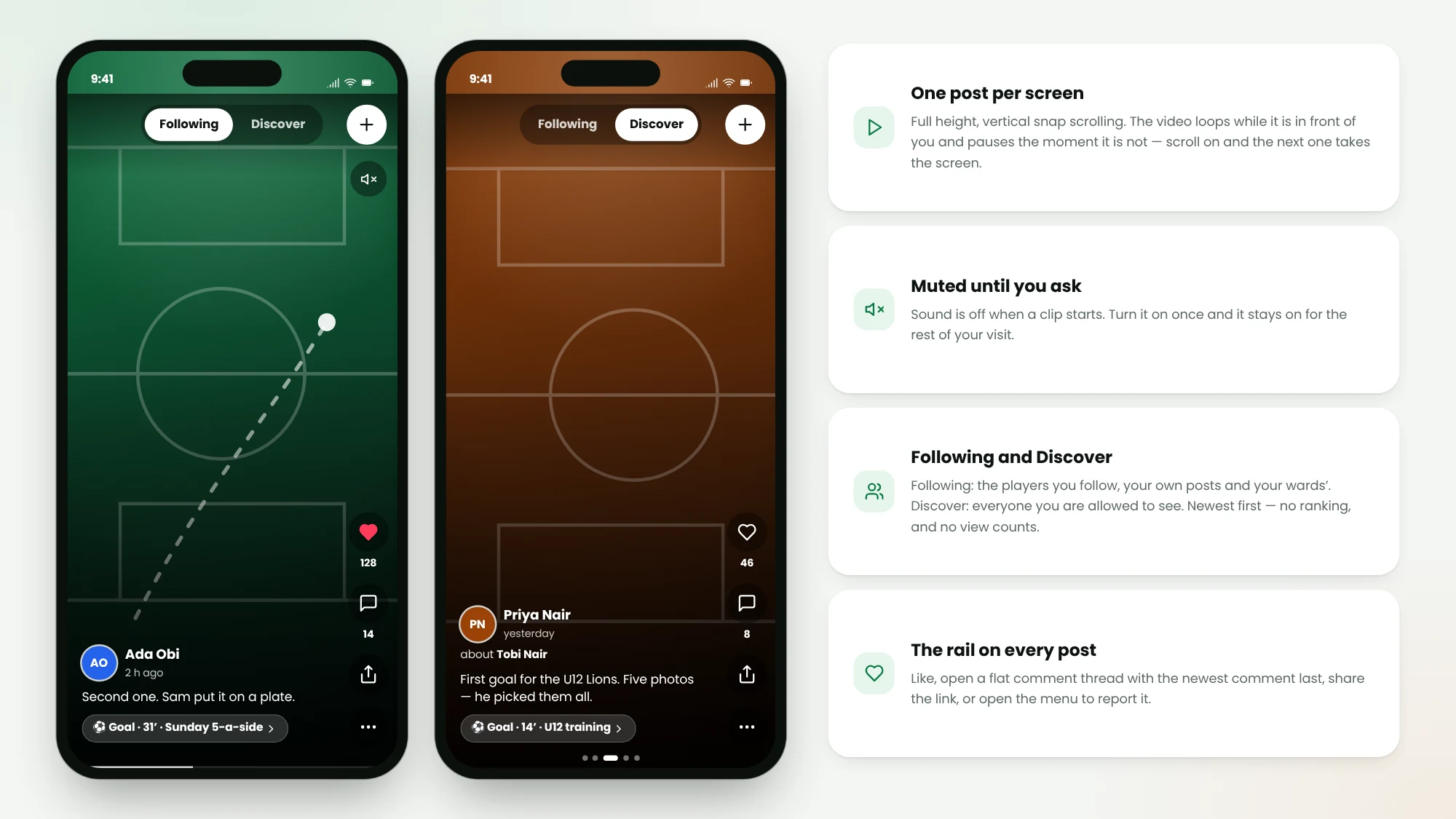
One post per screen
Highlights is a full-height feed: one post per screen, vertical snap scrolling, the video looping while it is in front of you and pausing the moment it is not. Sound is off until you ask for it, then it stays on for the rest of your visit. Two tabs: Following for the players you follow, your own posts and your wards’, and Discover for everyone you are allowed to see.
- A video up to 60 seconds, or 1 to 10 photos swiped sideways
- Likes, and a flat comment thread with the newest comment last
- Newest first — no ranking in Discover, and no view counts
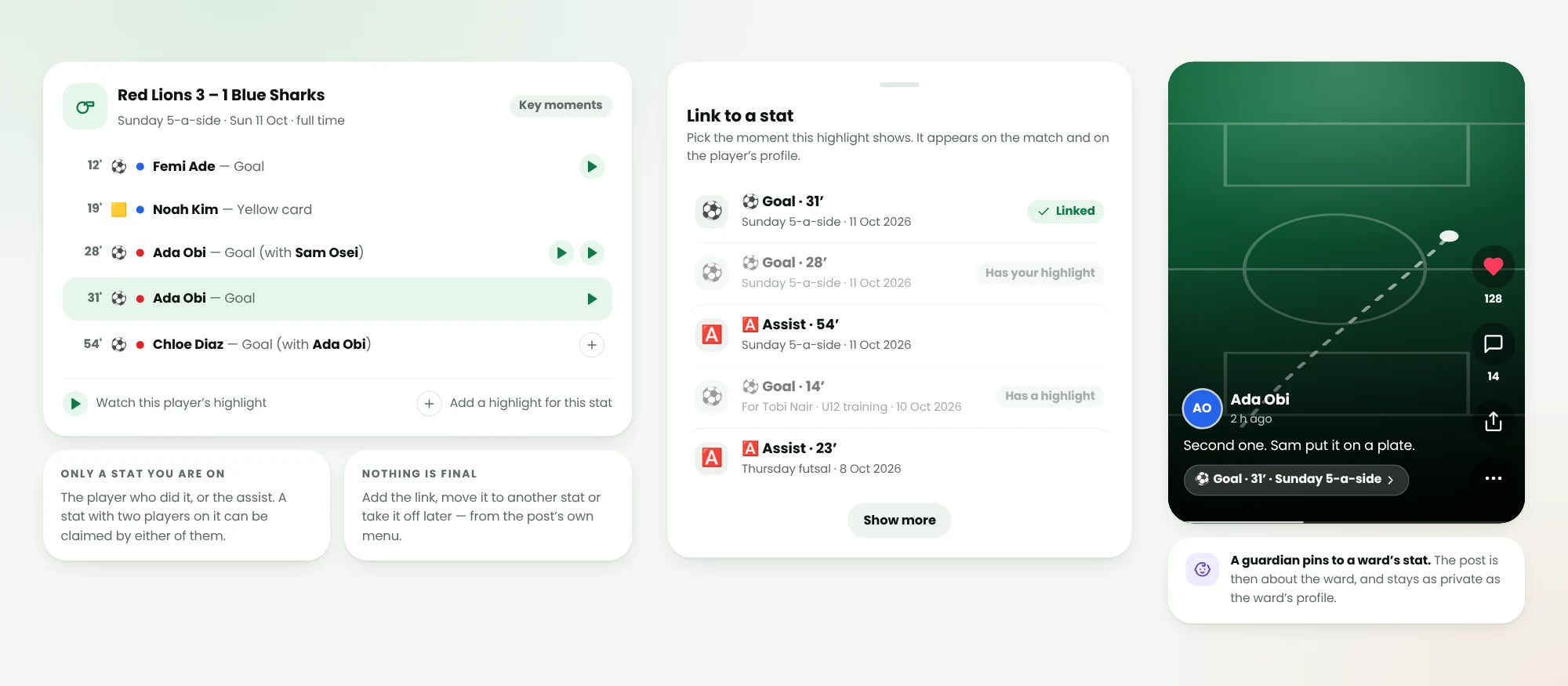
Pin it to the goal it shows
A highlight can be pinned to one stat from a real match, and only to a stat you are on — as the player who did it or as the assist. The post then carries that stat on a chip that reads like the timeline does, sits in the grid on the player’s profile, and shows a play badge on that row wherever the match timeline carries one — goals, cards and the other moments it lists. A stat with two players on it can be claimed by either of them, so the scorer’s clip and the assist filmed from the other end can both live on the same goal.
- Only a stat you are on: the player who did it, or the assist
- A guardian pins a clip to a ward’s stat, and the post is about the ward
- Add, move or take the link off later — nothing about it is final
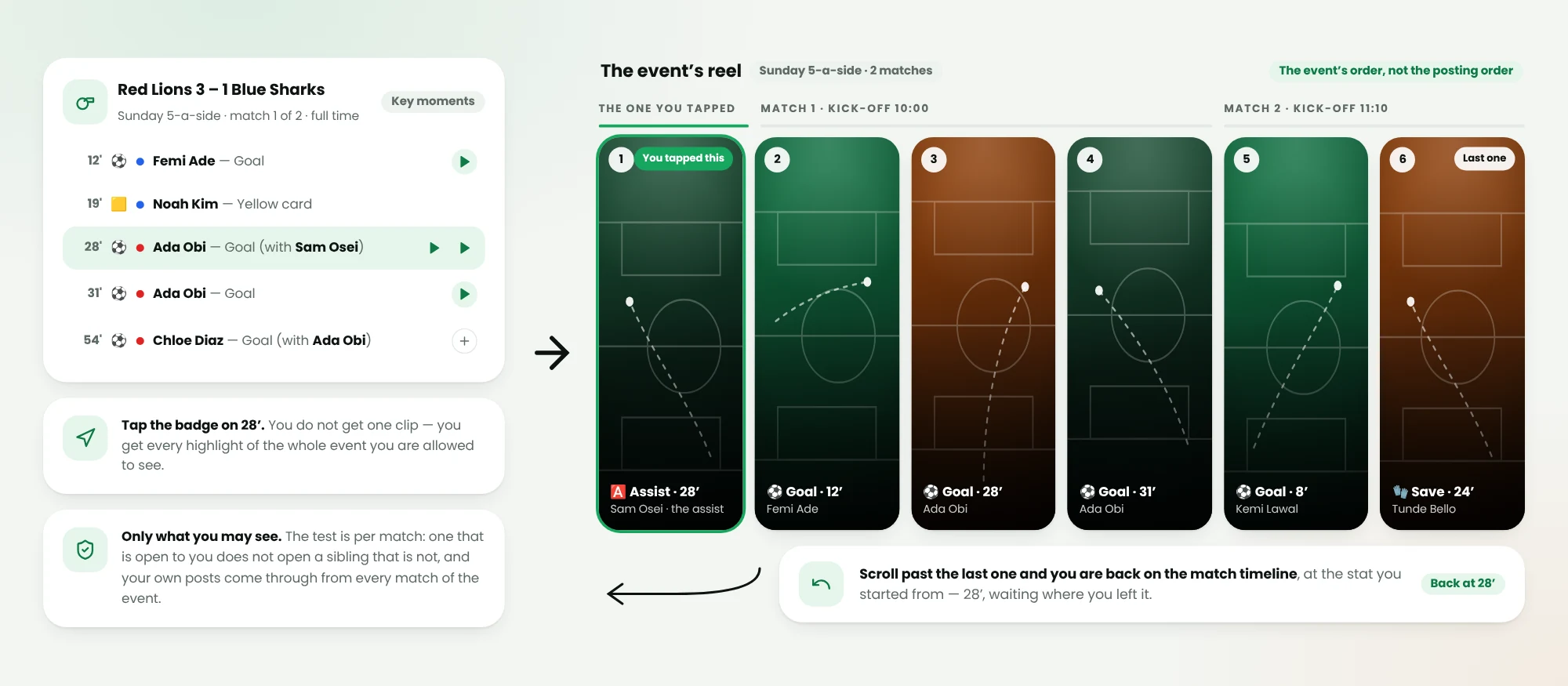
From one badge, the whole event
Tap the play badge on a stat and you do not get one clip: you get every highlight of that whole event you are allowed to see, in the event’s own order — each match by kick-off, each timeline from the top, and the posts on a shared stat oldest first. Scroll past the last one and you are back on the match timeline, at the stat you started from.
- Every highlight of the event you can see, the one you tapped first
- The event’s order, not the order things were posted
- Past the last clip you land back on the timeline, at your stat
A limit on posting, and a way to take a post down
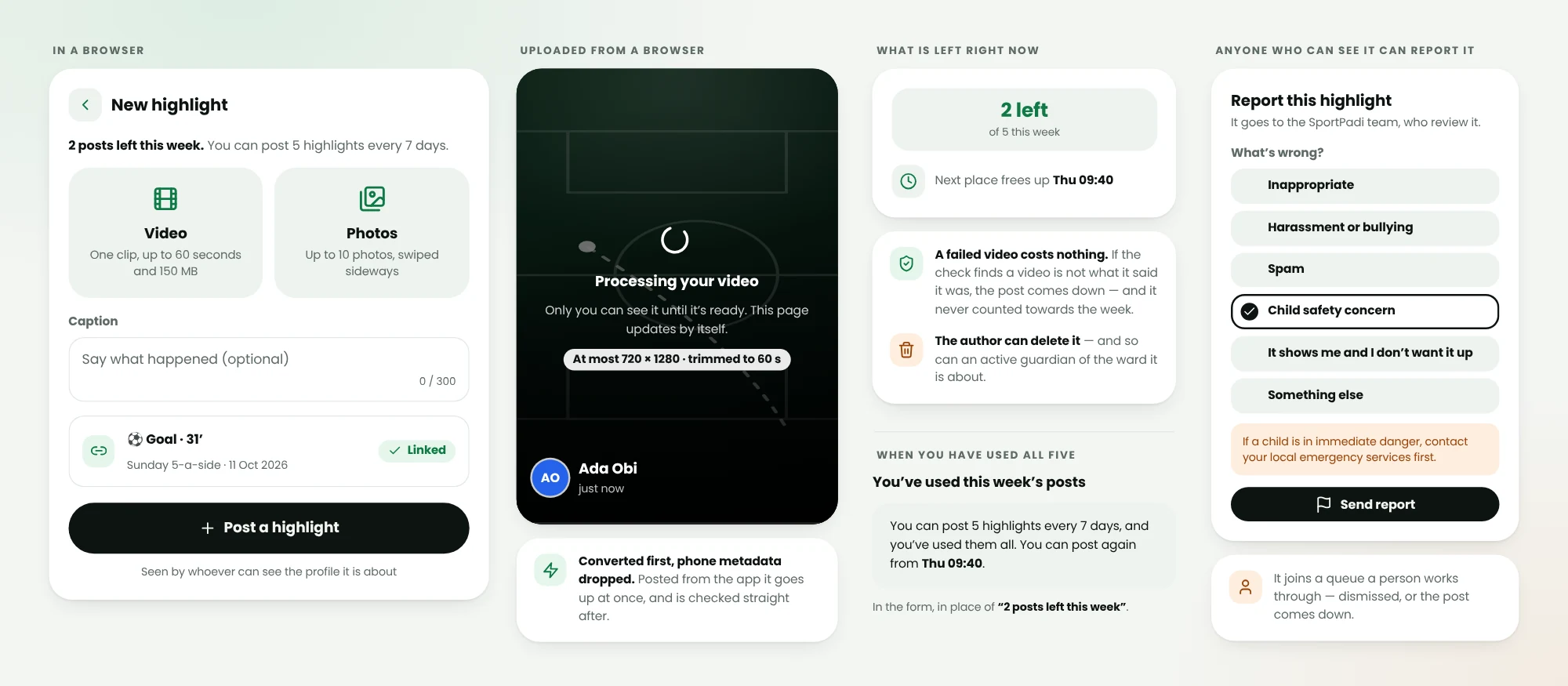
Every video costs real work to keep and convert, so posting is capped: five posts per rolling seven days per person to start, a number the SportPadi team can change. A video posted from the app is compressed on the phone and goes up straight away, then is checked; a video uploaded from a browser is converted first — at most 720 by 1280, trimmed to 60 seconds, with the phone metadata dropped — and reads as processing until it is ready. If the check finds that a video is not what it said it was, the post comes down.
- Five posts per rolling seven days to start, and ten videos per rolling 24 hours
- A browser upload is converted and trimmed before anyone else sees it
- Report a post or a comment and it joins a queue a person works through
Who it’s for
Built for the people who run the game
Players
Your goals stop being a number in a table: the clip sits on the stat, on your profile, for anyone who can see it.
Parents & guardians
Post your child’s highlight yourself, from their stat. It stays exactly as private as their profile, and you can take it down.
Organisers & coaches
A match timeline with goals and cards on it becomes worth scrolling: one badge opens every clip from the whole event.
FAQ
Questions about highlights
How long can a highlight be?
A video can run up to 60 seconds. A photo post holds 1 to 10 photos, swiped sideways. Captions go up to 300 characters, and comments up to 500.
Who can see my highlight?
Whoever can already see the profile the post is about — the same test the profile page itself uses. A post about a ward is as private as the ward’s profile, and wards start private. Signed out, anyone can watch the highlights of adults with public profiles, and those highlights can appear in search results. Children’s highlights are only ever shown to people who are signed in.
Can I post a highlight of my child?
Yes. A ward has no login, so as their active guardian you pin the post to your ward’s stat. The post is then about the ward: it counts as the ward’s highlight for that stat, shows in the grid on their profile, and you can delete it whenever you like.
Why does my video say processing?
A video uploaded from a browser is converted on our side before anybody sees it — at most 720 by 1280, trimmed to 60 seconds, with the phone metadata dropped — and reads as processing until that finishes. A video posted from the app is already compressed on your phone, so it publishes at once, and is checked straight after.
How many highlights can I post?
Five per rolling seven days to start, and the SportPadi team can change that number. Videos are counted again on their own — ten per rolling 24 hours, whether they worked out or not, and at most two browser uploads converting at a time — because each one has to be stored and converted. The upload screen tells you what you have left and when the next place frees up.
Can a highlight be taken down?
Yes. The author can delete it, and so can an active guardian of the ward it is about. Anyone who can see a post or a comment can report it for review. An automated check can also take a video down after it was posted, if it turns out not to be what it said it was.
Keep exploring
Related features
Bring highlights to your community
Get set up in minutes: no cards, no clipboards, no chaos.
Post a highlightUse it on the pitch